
Activating your mobile number adds a verified number to your Hsoub account, helping build trust when interacting with other users.
Mobile number activation is optional. You can continue using Hsoub services without it.
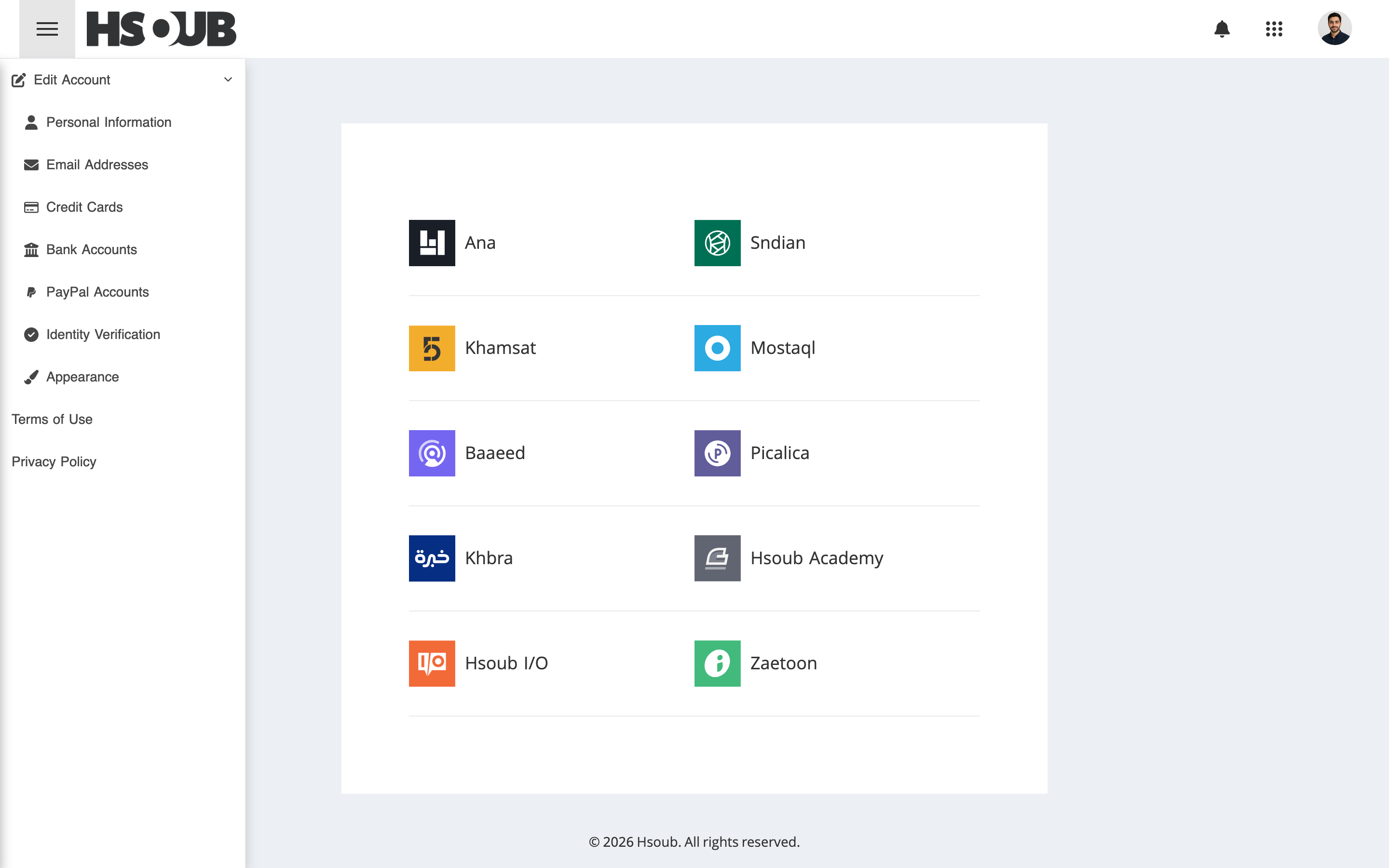
Go to Hsoub Accounts, then select Personal Information from the sidebar.
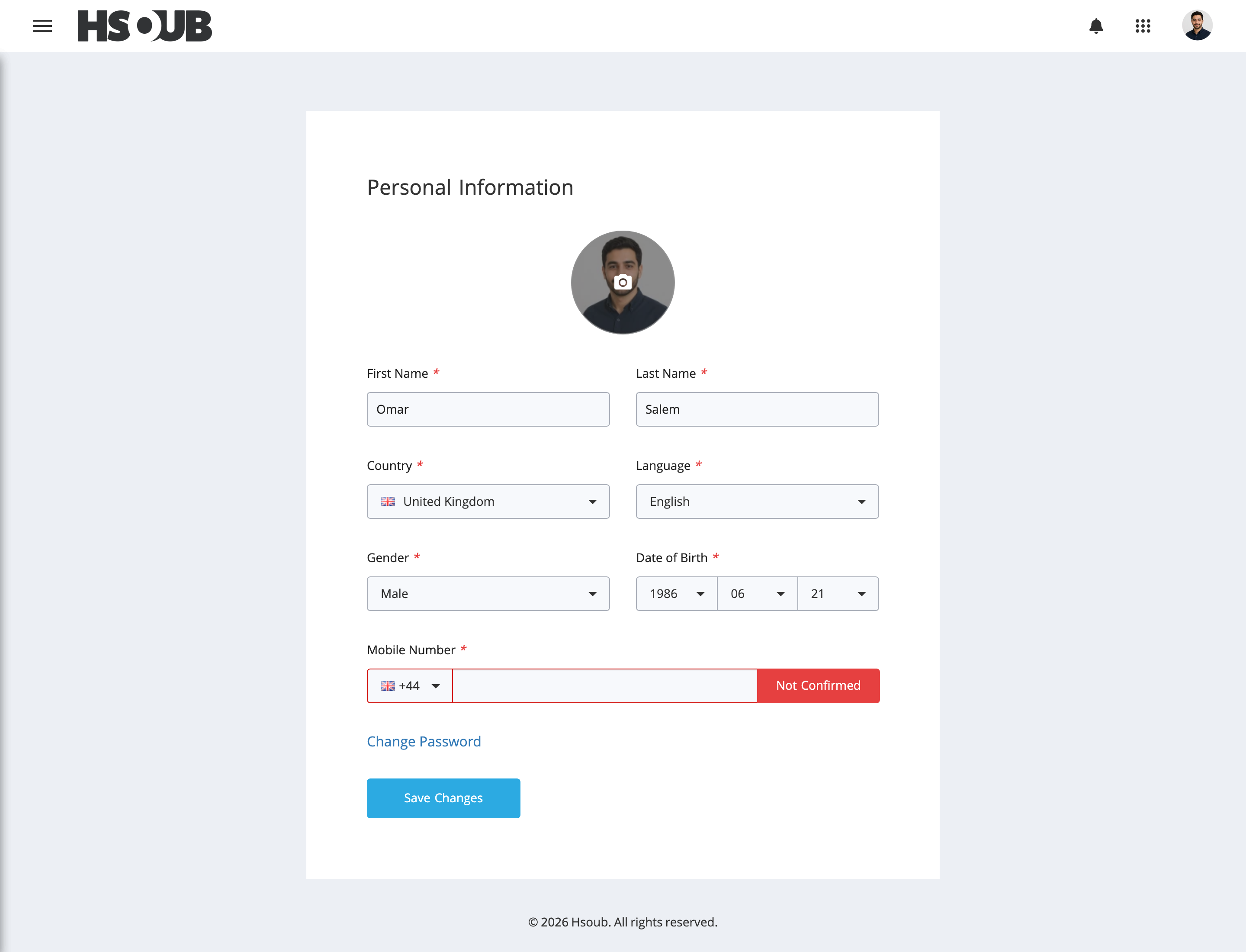
Select your country code, enter a valid mobile number without the leading zero (0), and click Save Changes.
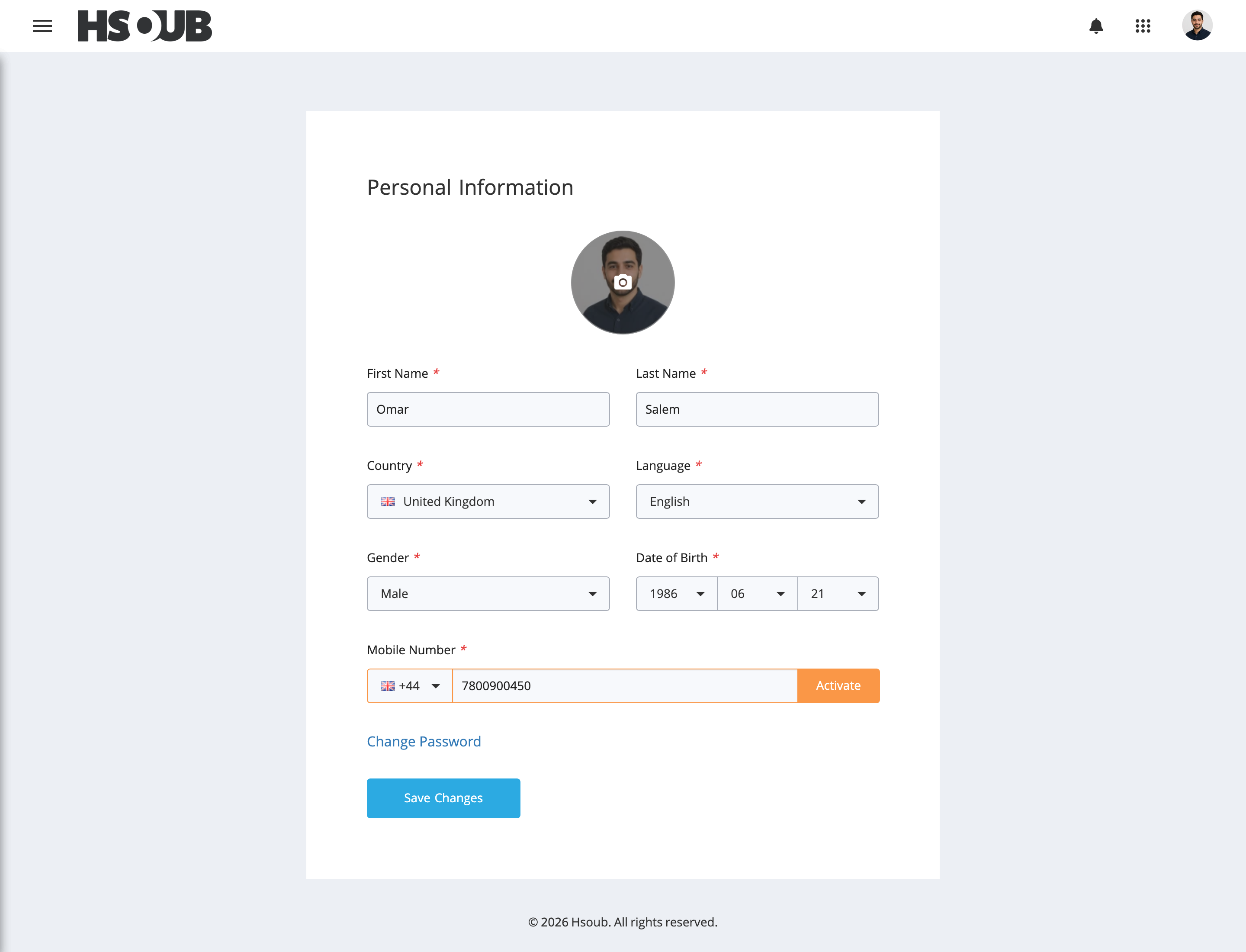
Click Activate next to your mobile number.
Click Show Phone Number and Activation Code.
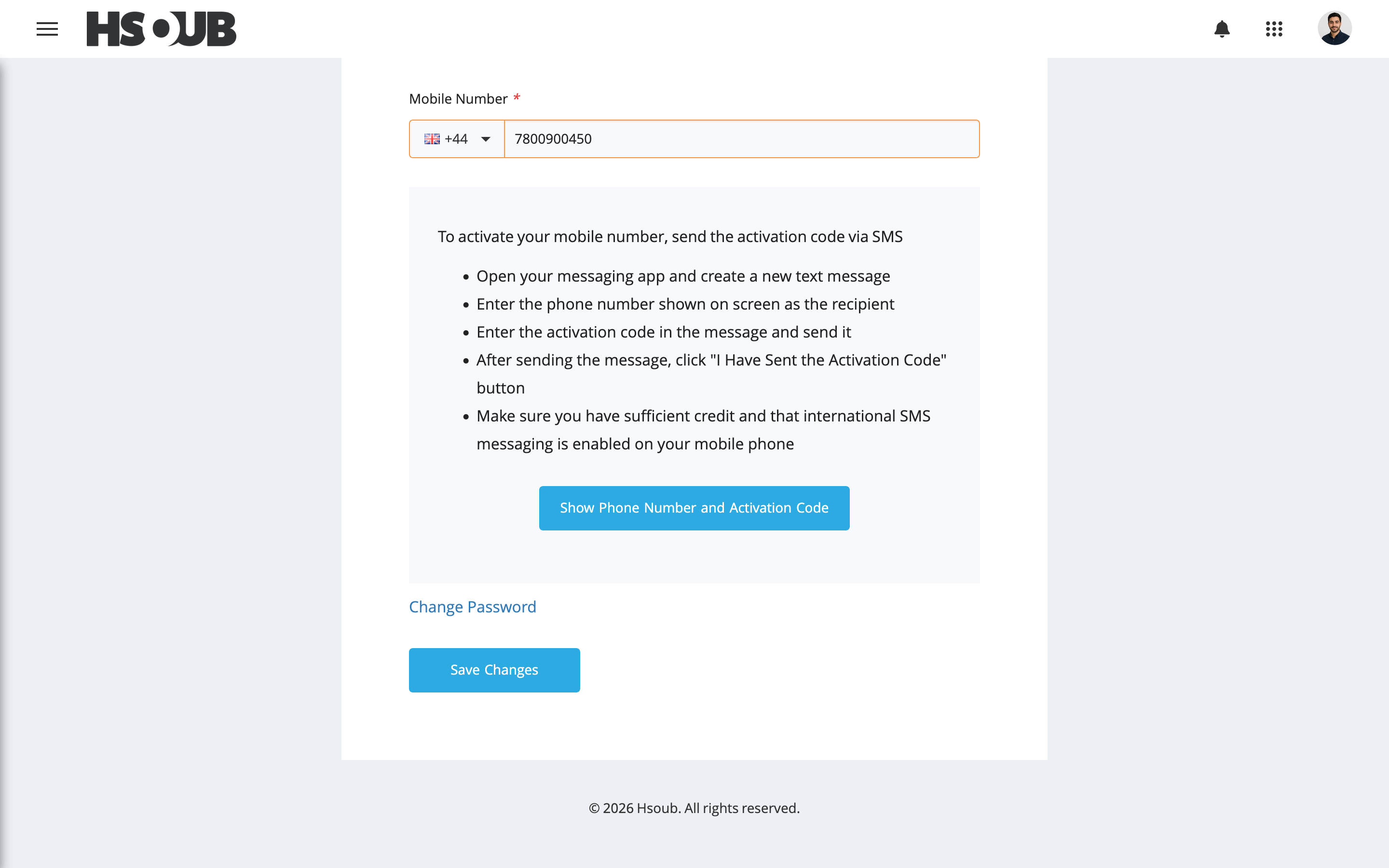
Open your messaging app and create a new text message. Enter the phone number displayed under Send to This Number as the recipient and the Activation Code as the message body.
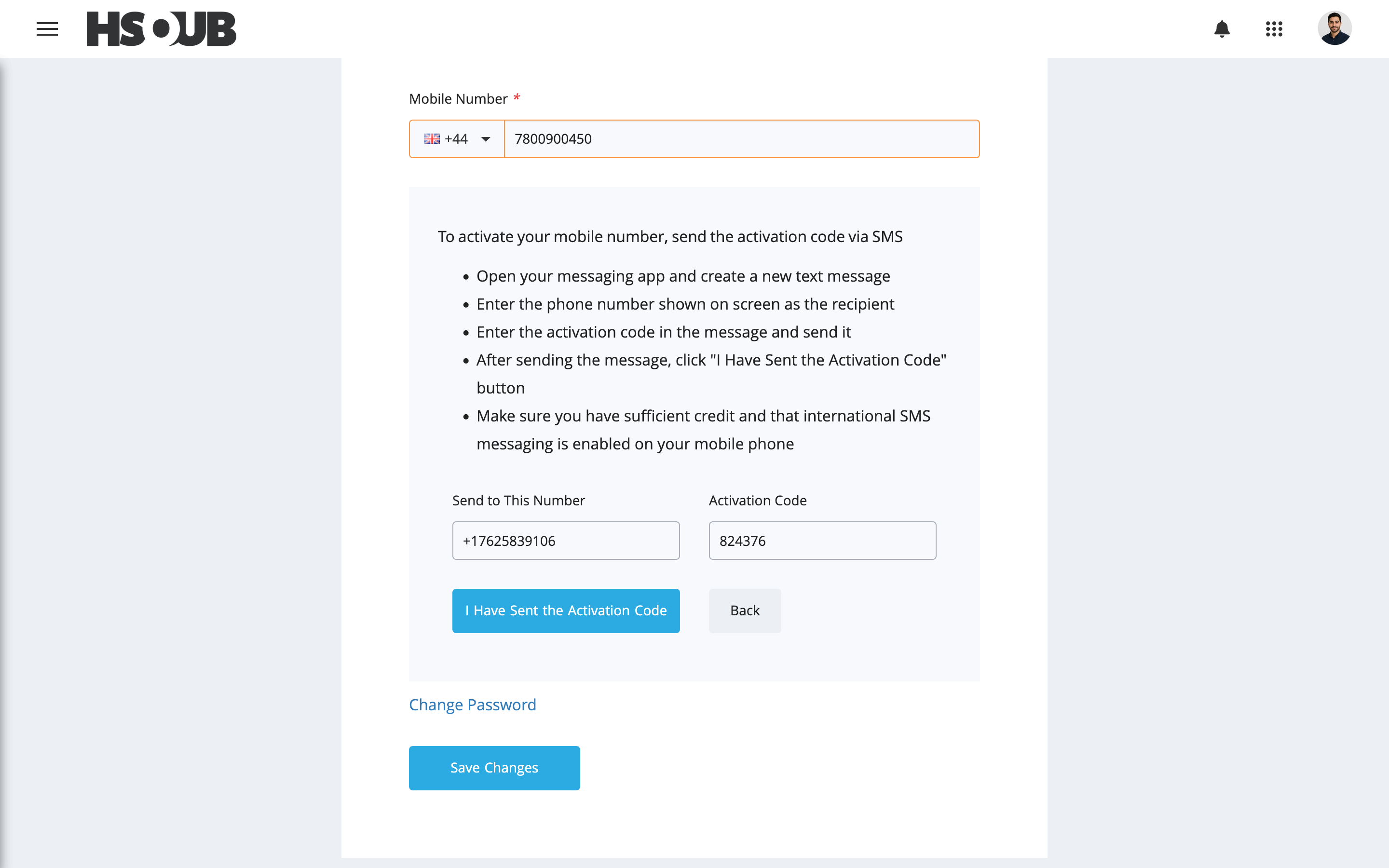
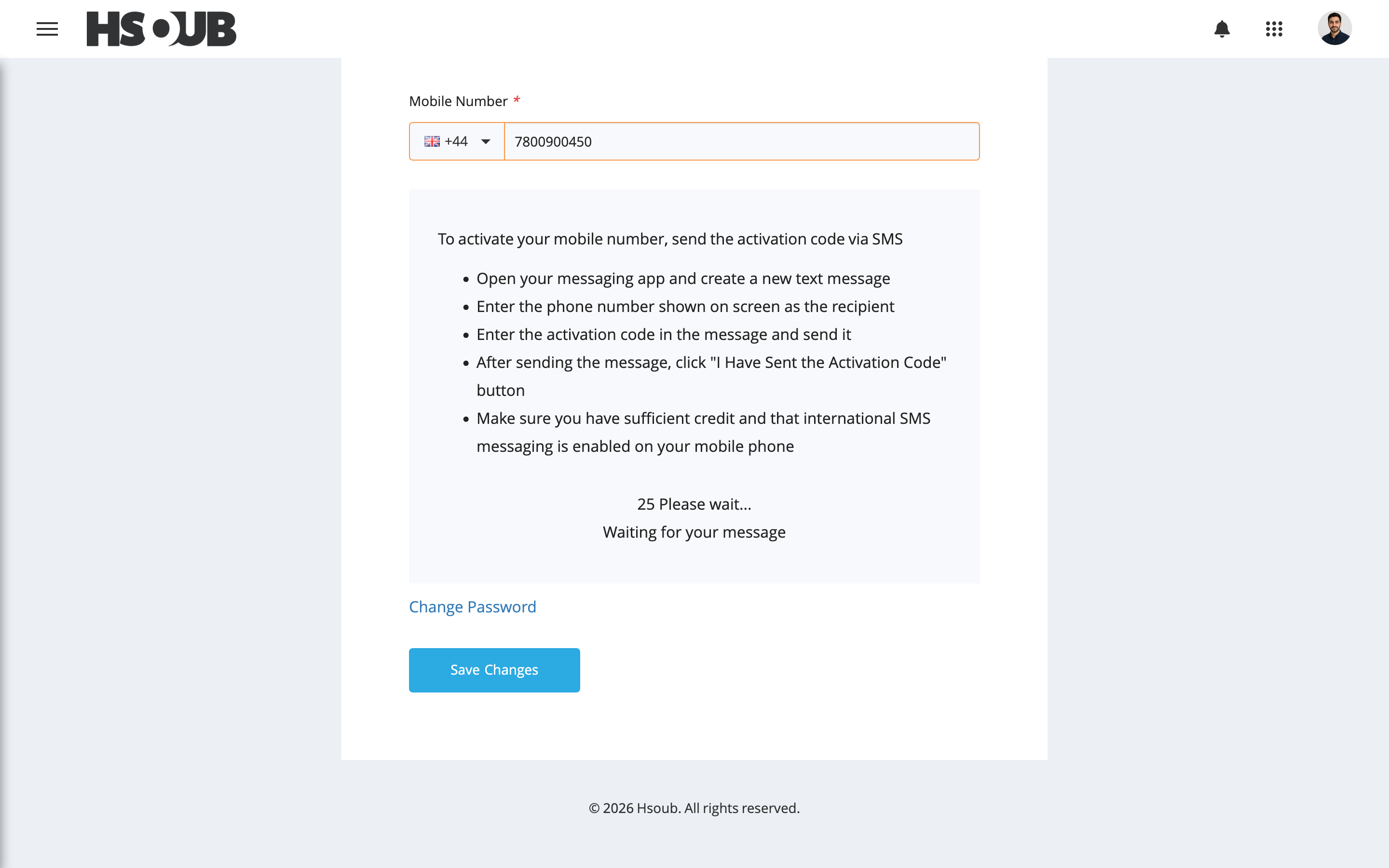
Send the message, return to Hsoub Accounts, and click I Have Sent the Activation Code.
Wait for the activation to be confirmed.
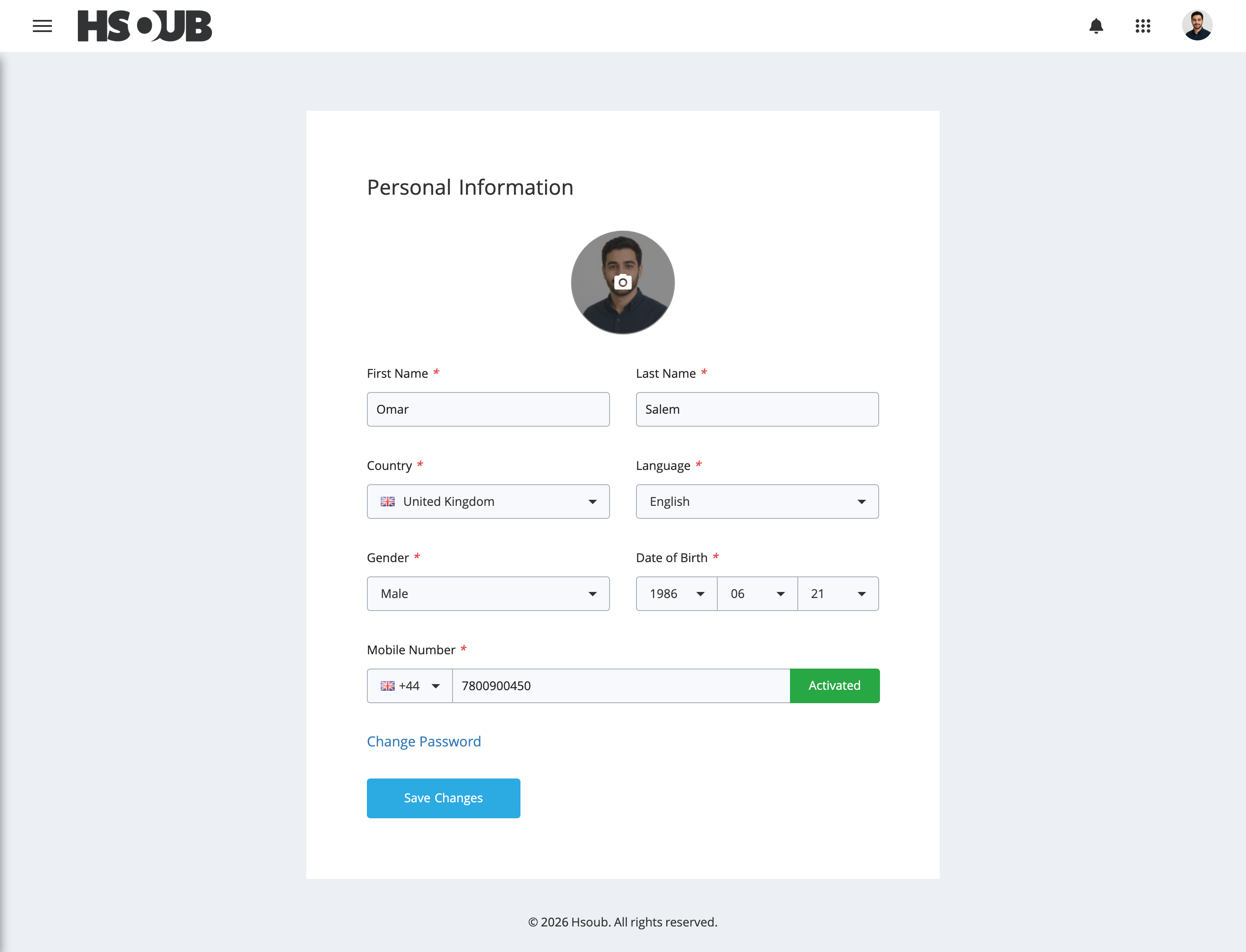
Once successful, your mobile number will display Activated.
Notes
Sending the activation SMS may incur messaging charges. Make sure you have sufficient credit and that international SMS messaging is enabled on your mobile plan.