
You can add a bank account to your Hsoub account to withdraw earnings from Hsoub platforms such as Khamsat and Mostaql.
Bank withdrawals are currently supported for bank accounts in the following countries: Saudi Arabia, Egypt, Morocco, Kuwait, the United Arab Emirates, Bahrain, Jordan, Qatar, Algeria, and Tunisia.
Requirements for Adding a Bank Account
Before adding a bank account, make sure that:
- Your identity has been verified.
- The account holder's information matches the information on your verified identity document.
Withdrawal Fees
Hsoub covers the fees associated with sending bank transfers. Your earnings will be transferred without any deductions or fees charged by Hsoub.
However, your local bank or an intermediary bank may apply additional fees. These charges vary depending on your bank and country.
Add a Bank Account
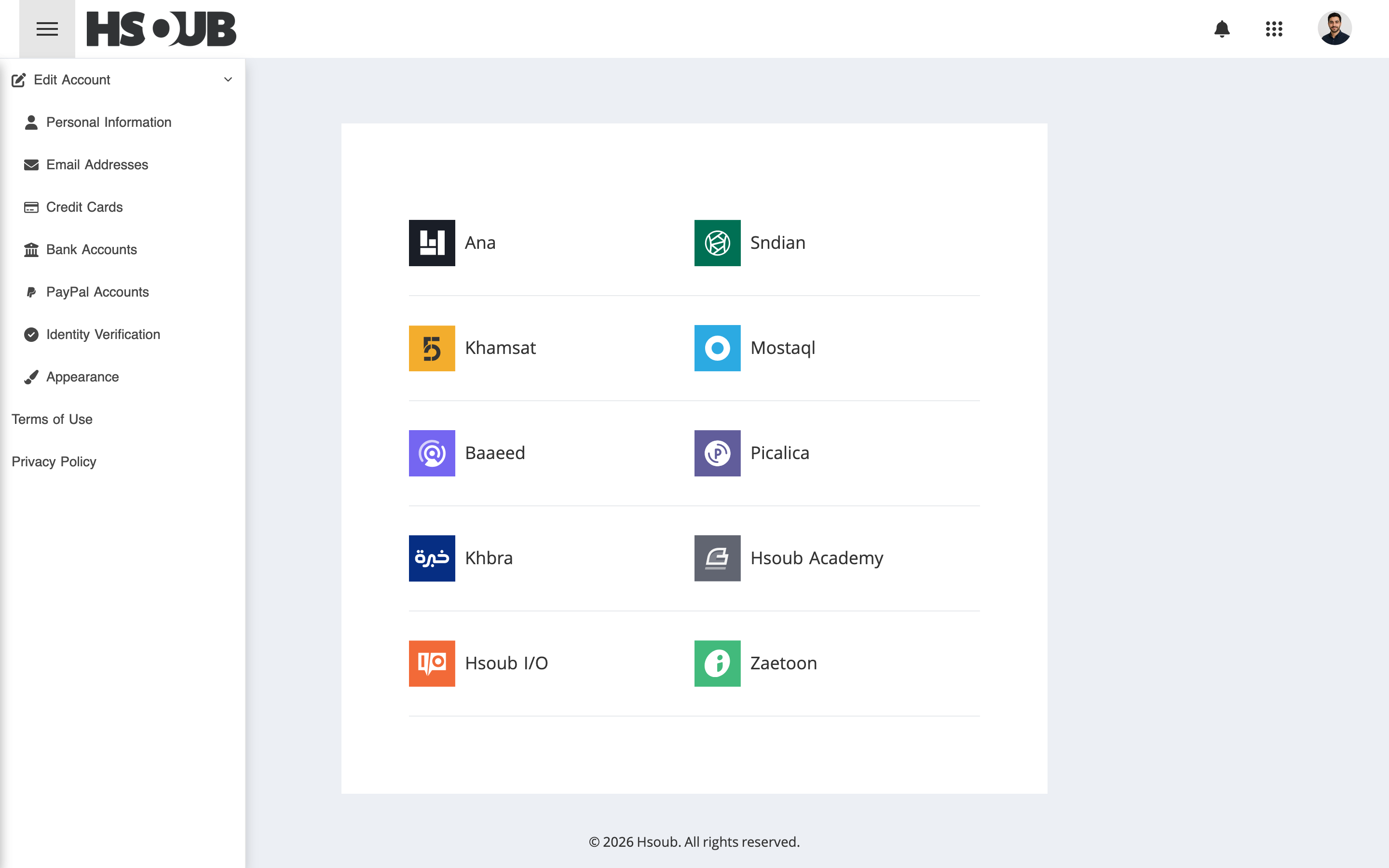
Go to Hsoub Accounts, then select Bank Accounts from the sidebar.
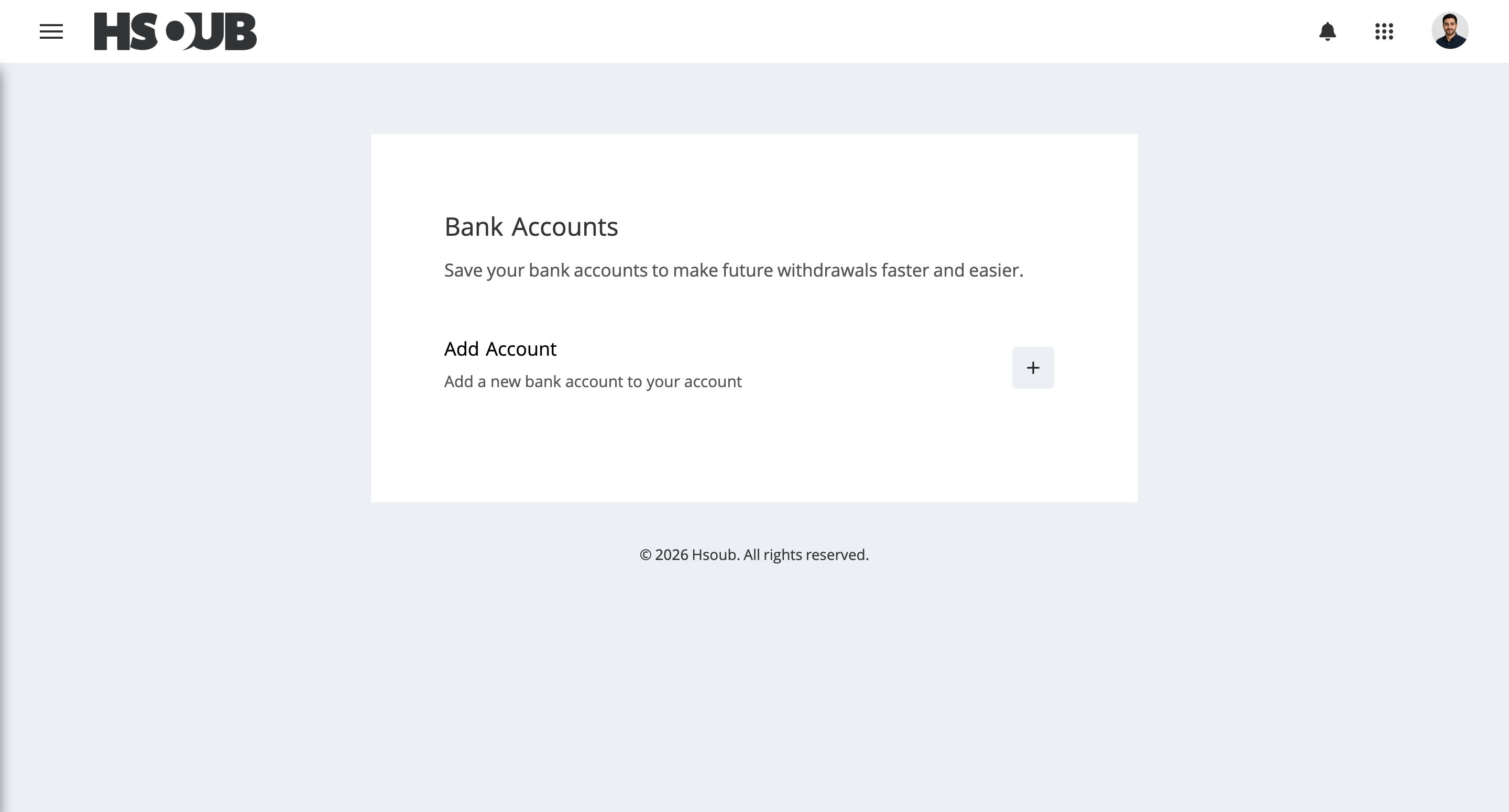
Click Add Account.
Enter the following information:
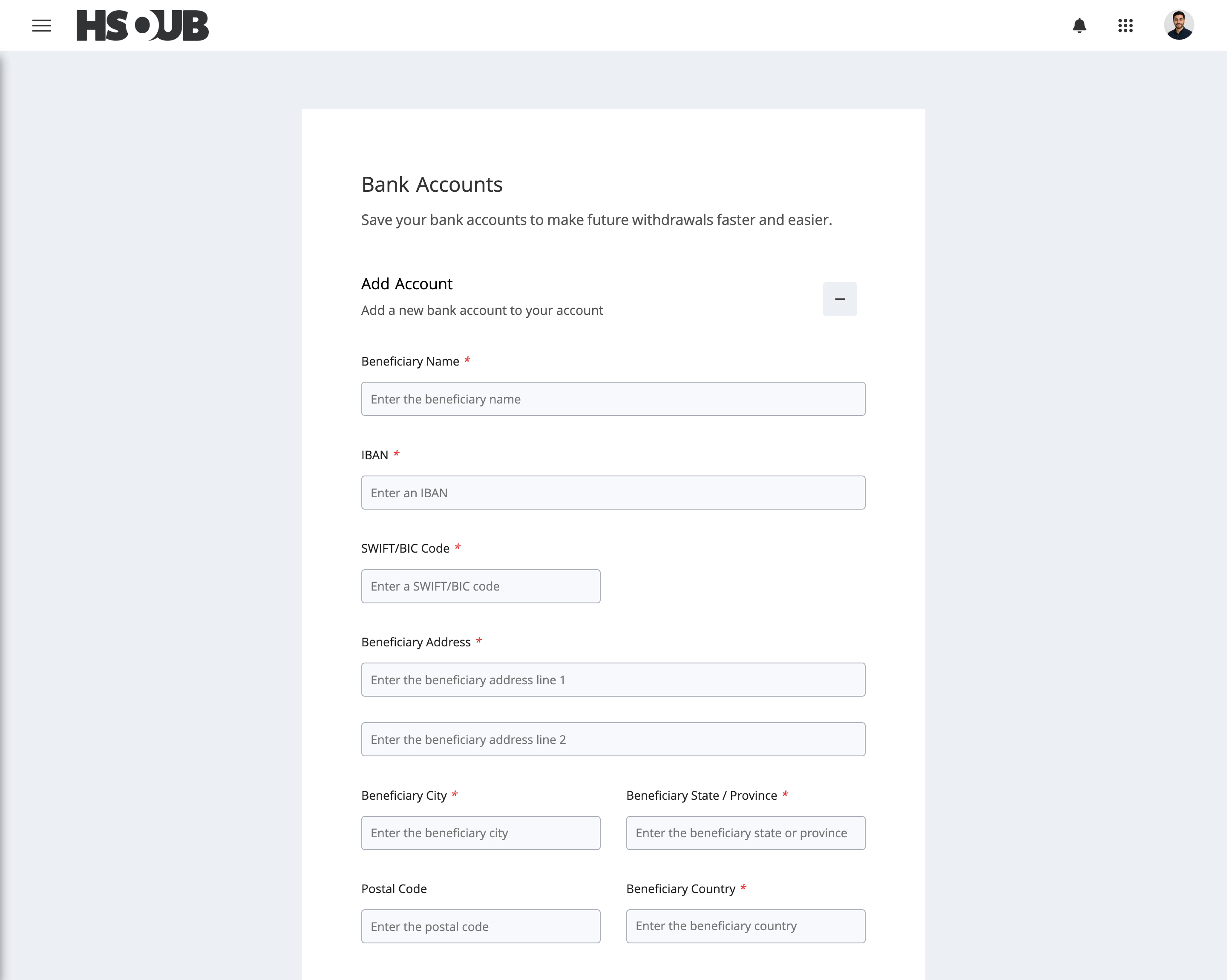
- Beneficiary Name: Enter the account holder's name in English.
- IBAN: Enter the International Bank Account Number.
- SWIFT/BIC Code: Enter your bank's SWIFT/BIC code.
- Beneficiary Address: Enter the account holder's address.
- Beneficiary City: Enter the city.
- Beneficiary State / Province: Enter the state or province.
- Postal Code: Enter the postal code, if applicable.
- Beneficiary Country: Enter the country.
Review the four declarations and select each checkbox to confirm your agreement.
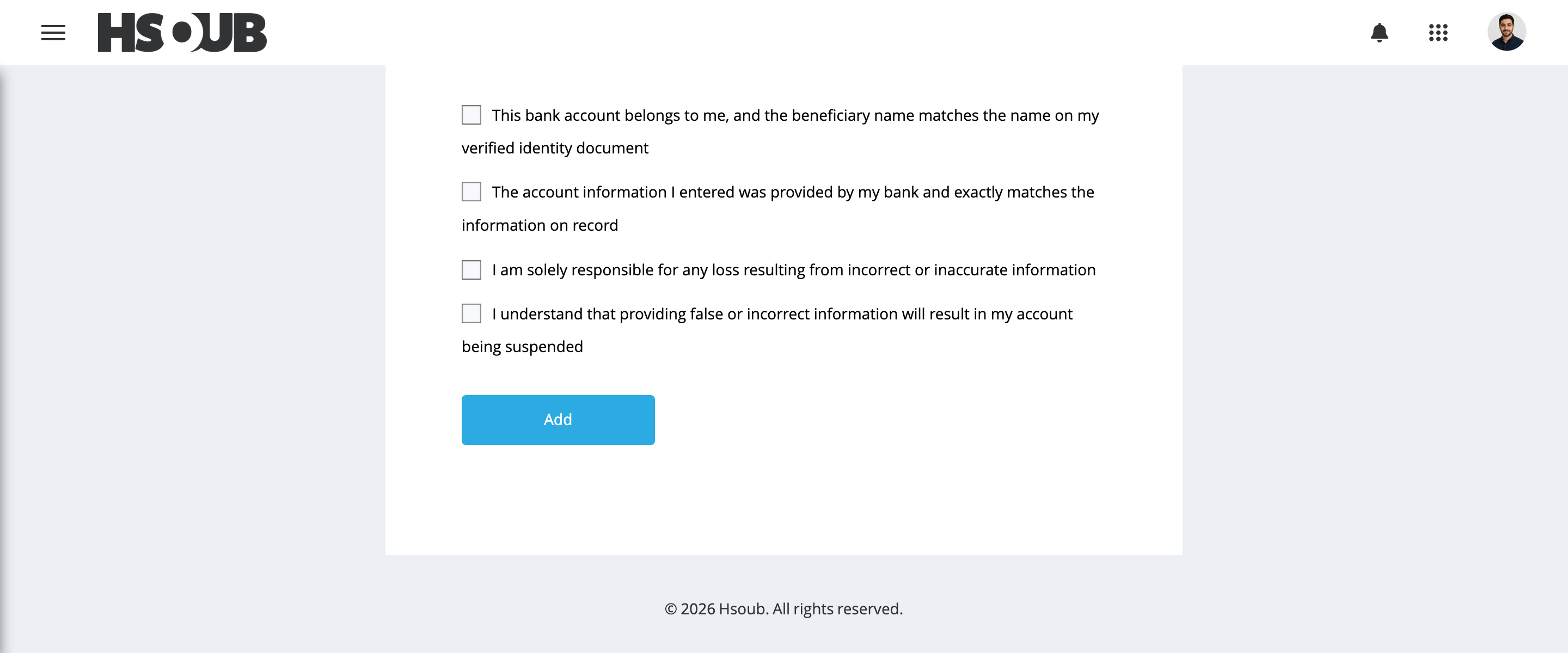
Click Add to submit the bank account for review.
Account Review
Your bank account will be reviewed before it can be used for withdrawals. Once approved, it will be activated and available for use.
Make sure all information is entered correctly.