
A profile picture helps other users recognize you and builds trust when interacting with you.
Go to Hsoub Accounts, then select Personal Information from the sidebar.
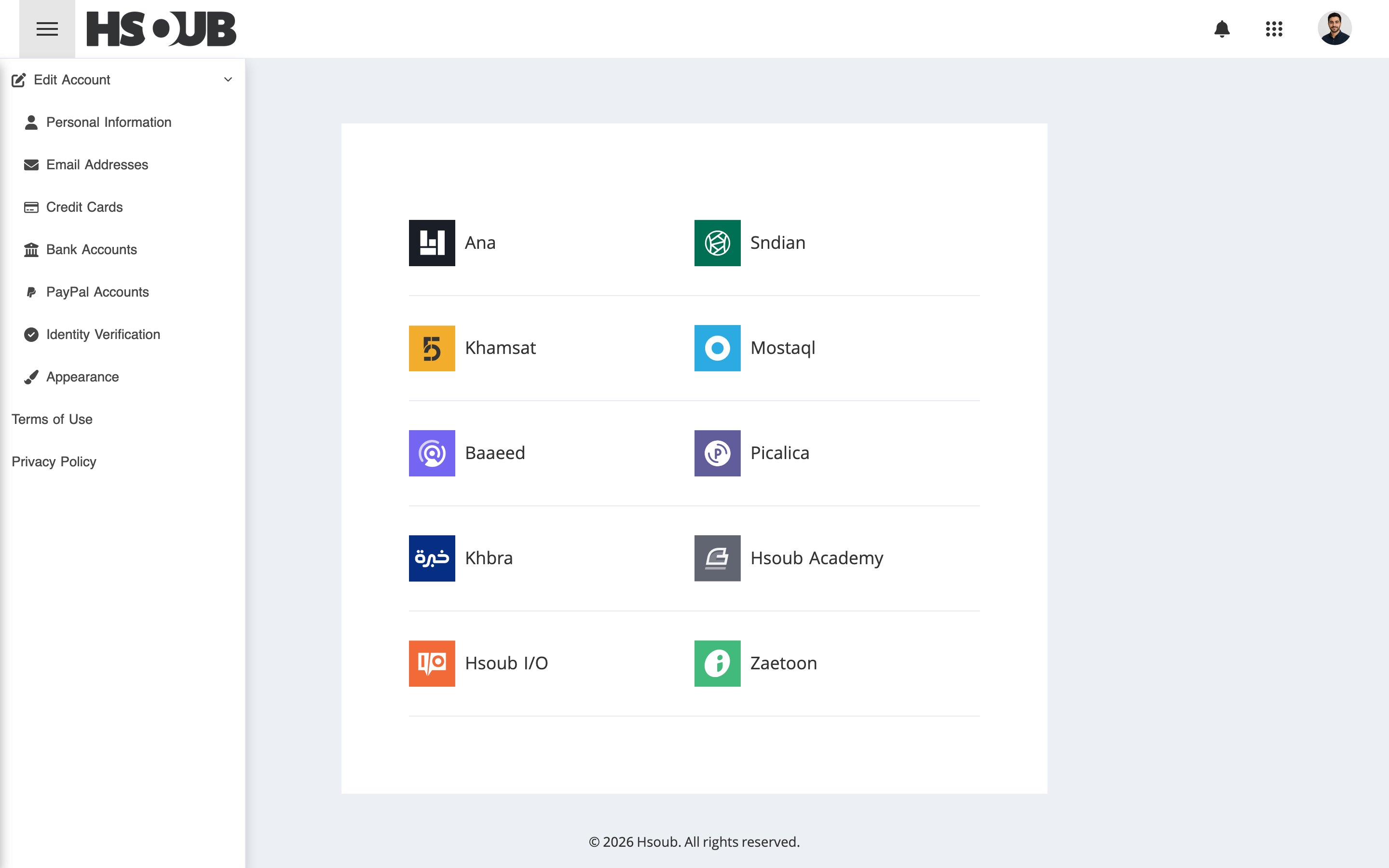
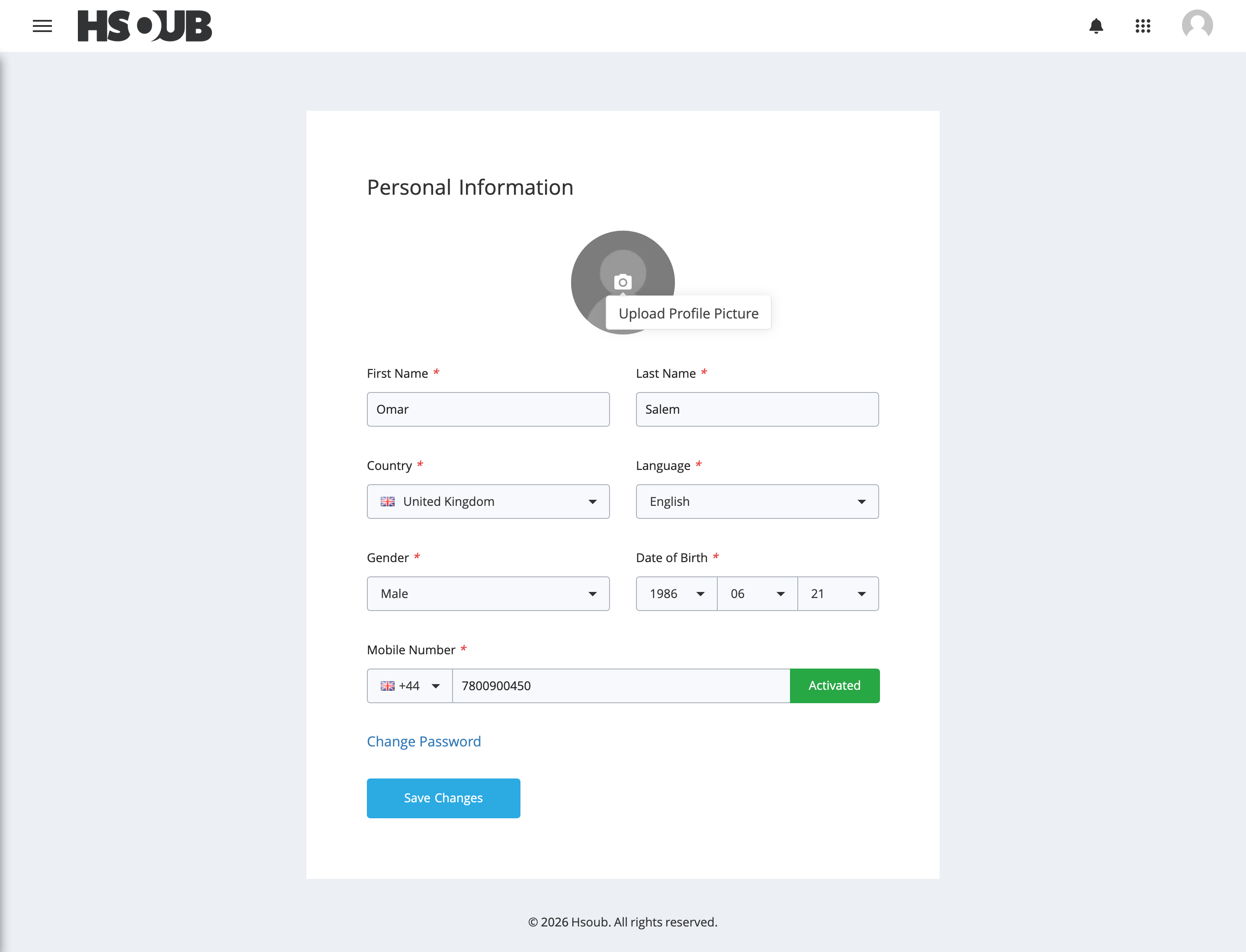
Click the camera icon on your profile picture.
If you don't have a profile picture, select Upload Profile Picture.
If you already have a profile picture, select Update Profile Picture to replace it.
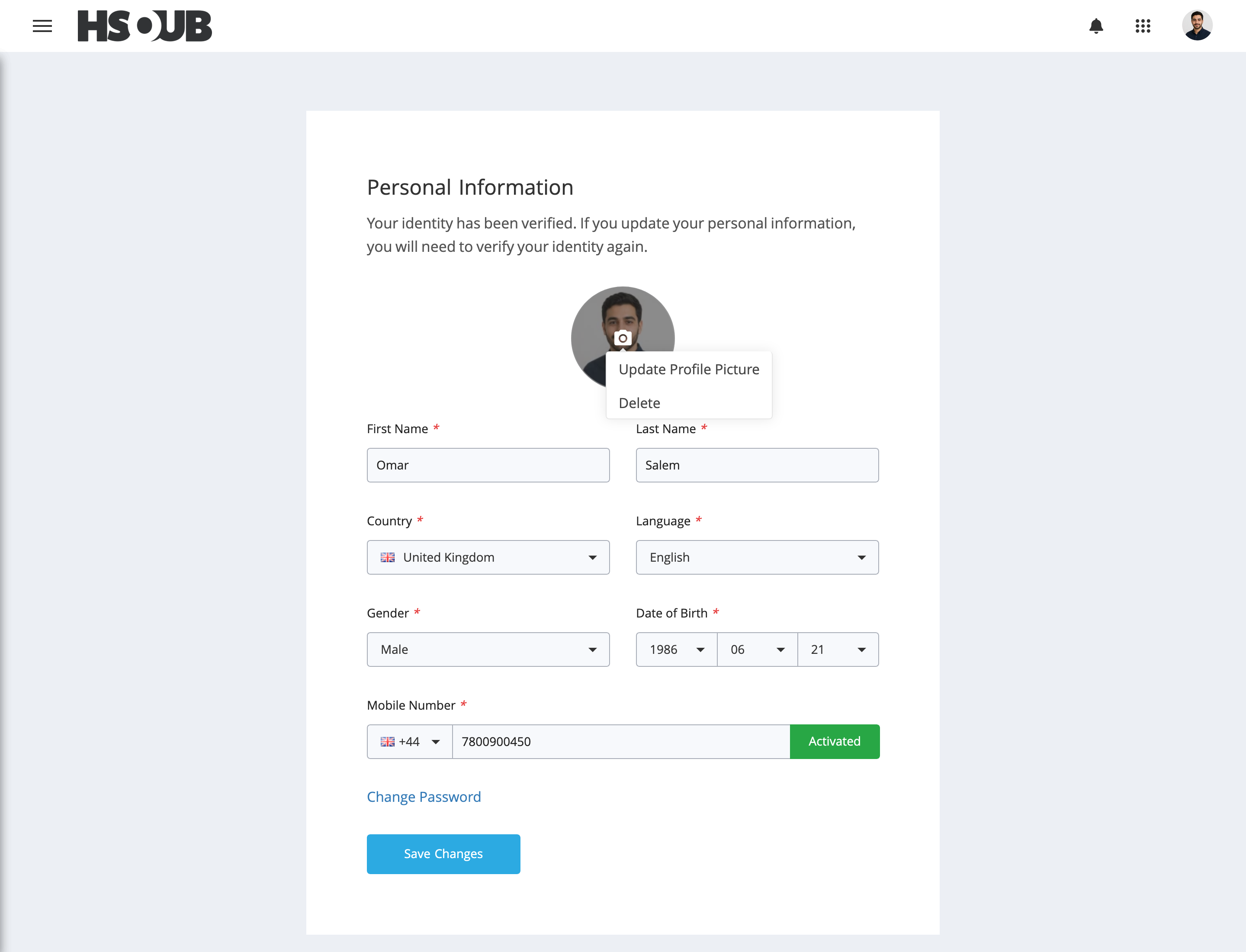
Choose a photo from your device, then click Save Changes.
Profile Picture Guidelines
For best results, choose a profile picture that:
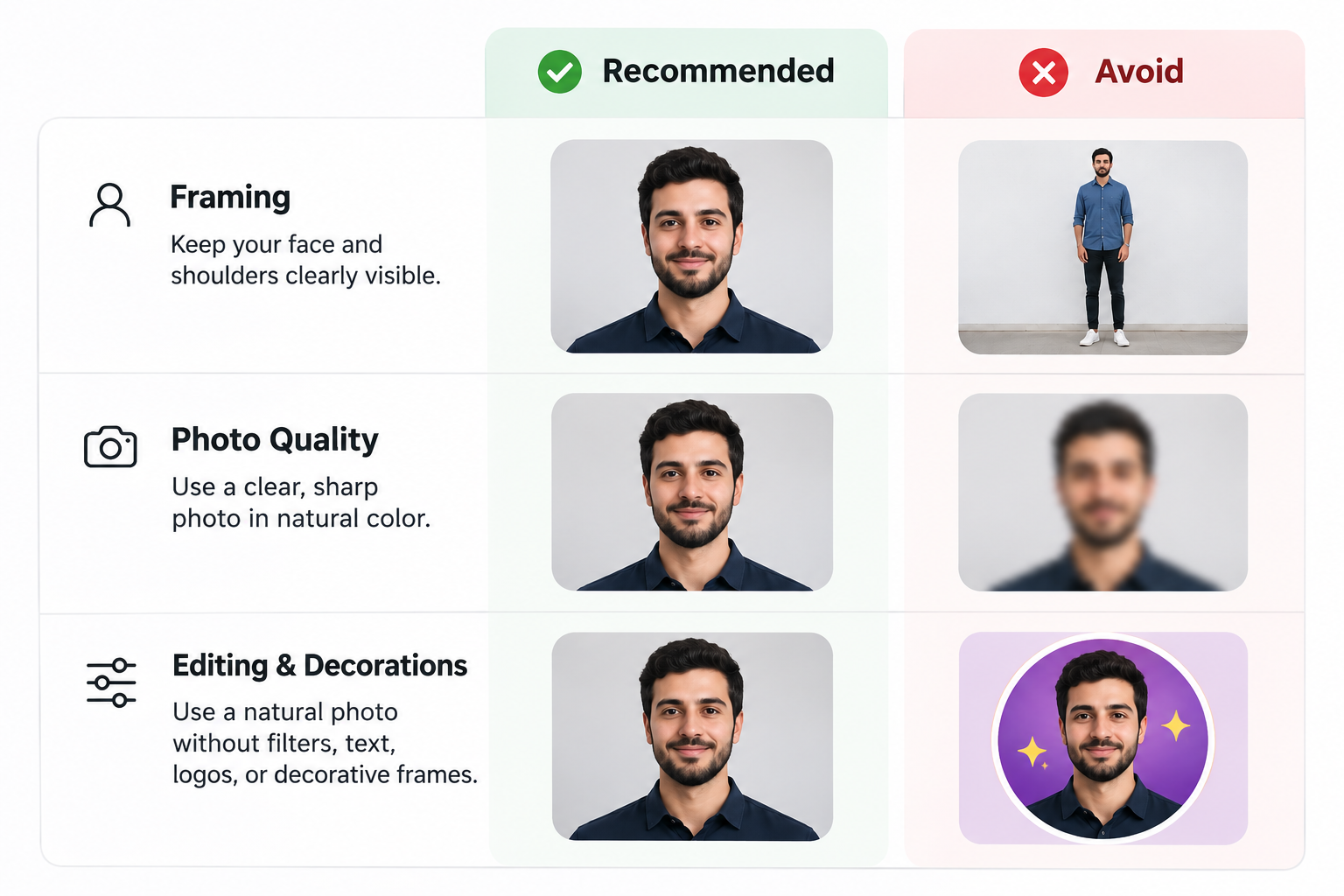
- Clearly shows your face and shoulders.
- Shows a clear front-facing view.
- Is in color.
- Is clear and high quality.
- Does not contain visual effects or filters.
- Does not contain text, symbols, or logos.
- Does not include decorative borders or frames.
Note: If your identity has already been verified, updating your personal information may require you to verify your identity again. See Identity Verification (KYC) for more information.